TikTok Story Downloader
Save TikTok stories as MP4 video or MP3 audio before they disappear – free, no app needed.
What are TikTok Stories?
TikTok Stories are photos and short videos that stay visible for 24 hours. They appear on the creator's profile and in the For You and Following feeds, and viewers can reply or react to them.
Because stories expire, saving one means downloading it while it's still online. TikLove handles story links the same way as regular TikTok videos, right in your browser on Android, iPhone or a computer.
How to download a TikTok story
1. Copy the story link
Open the story in TikTok, tap Share and choose Copy link. On a computer you can also copy the address from your browser's address bar.
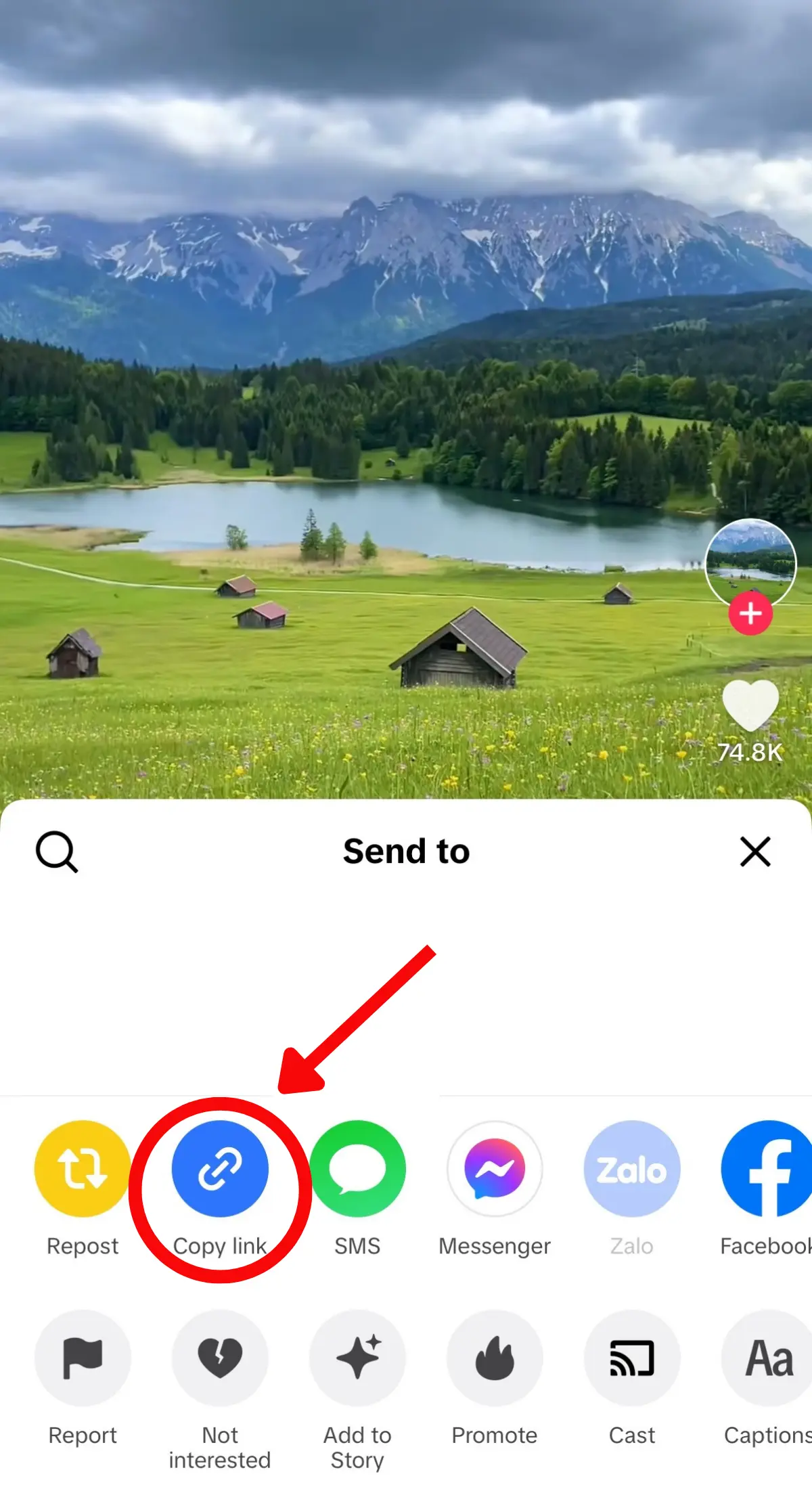
2. Paste it into TikLove
Paste the link into the box at the top of this page – tap Paste on mobile or press Ctrl+V (⌘+V on a Mac).
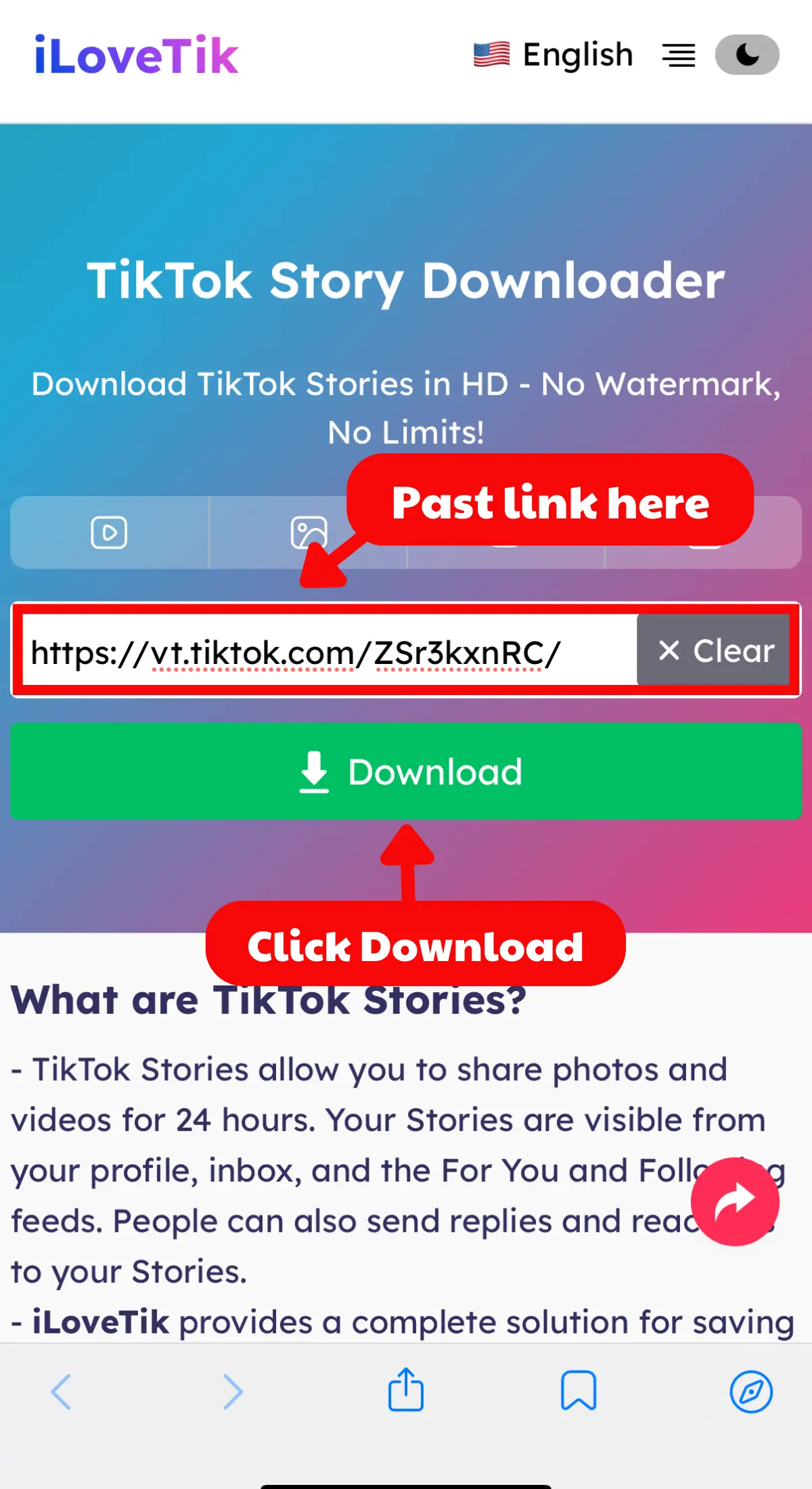
3. Download
Press Download, then pick MP4 video or MP3 audio. Each option shows its quality and file size before you save it.
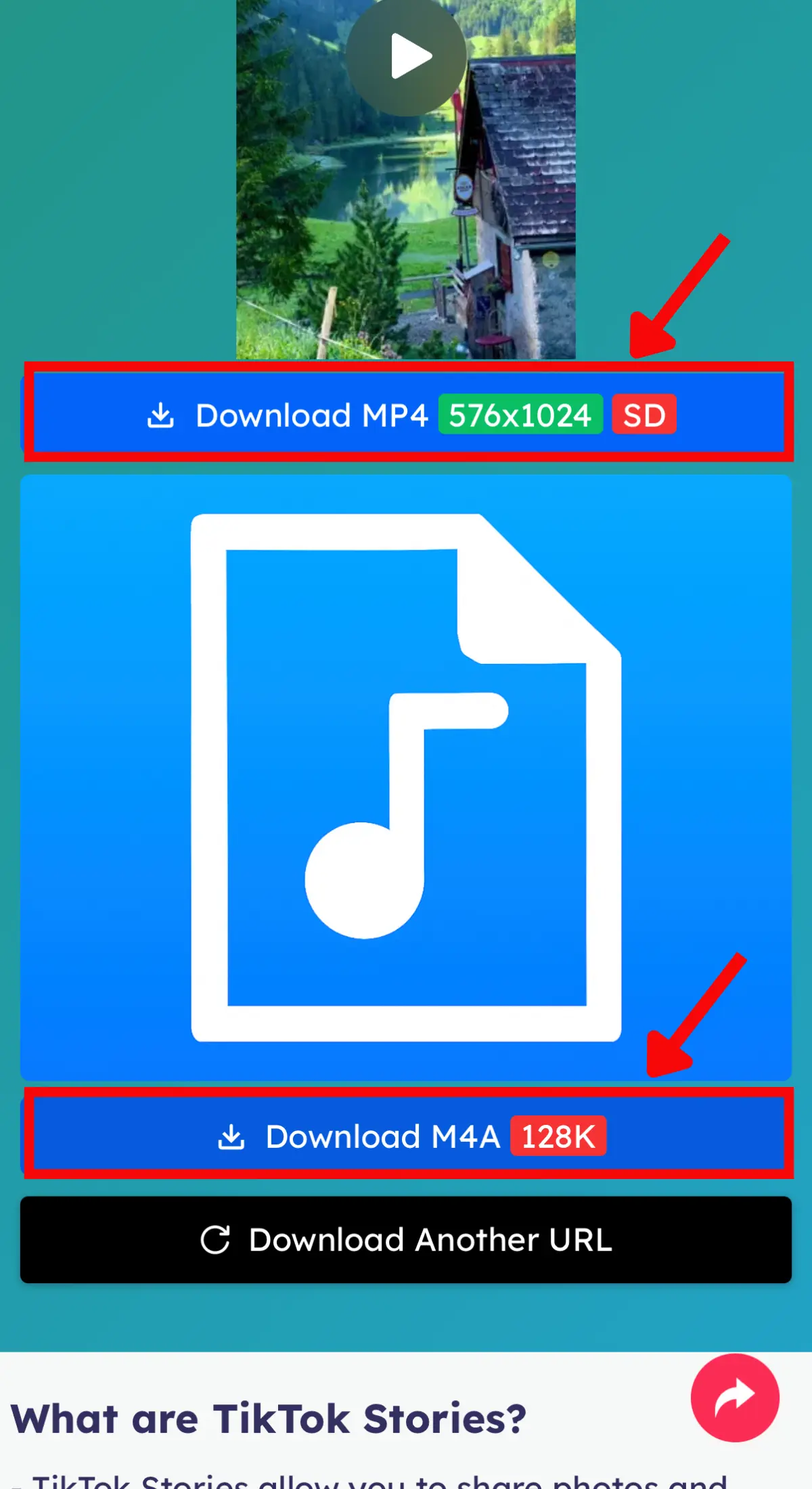
Why use TikLove for TikTok stories?
- Videos are saved without the TikTok watermark.
- Works in your browser on phones, tablets and computers – nothing to install.
- Choose MP4 video or MP3 audio and see the file size before downloading.
- Free to use, with no sign-up.
Frequently Asked Questions
TikLove is a free online tool for saving TikTok content to your device. Paste the link of a TikTok video, photo post or story and TikLove shows the files that are available: MP4 video in different qualities, MP3 audio and, for photo posts, the individual images.
TikLove works in your web browser, so there is nothing to install and no account to create, and it never asks for your TikTok login. Files are delivered as standard MP4, MP3 or image downloads. As with any download, only save content you have the right to use.
1. In TikTok, tap Share on the video and choose Copy link.
2. Paste the link into the box at the top of this page and press Download.
3. Pick the format and quality you want. Options marked Download are saved right away; options marked Render are prepared on our server first, which can take a little longer.
TikLove lists the qualities TikTok provides for each post and shows the resolution and file size on every option. Many videos are available in HD (720p) and some in Full HD (1080p). A download can't be sharper than the video the creator uploaded.
Not at the moment. TikLove processes one link at a time: once your file starts downloading, paste the next link.
Yes. For photo posts, TikLove lists every image so you can save each one in its original resolution. The post's sound is available as an MP3 and, when available, the slideshow as an MP4 video.
Yes. TikLove is free to use and doesn't require registration.
Your browser saves files to its default download location – usually the Downloads folder on a computer or Android phone. On iPhone and iPad, open the Files app and look in Downloads. You can also check your browser's download history.
Send us a message through the contact page and include the TikTok link you tried, so we can look into it.
Note: TikLove is not affiliated with TikTok or ByteDance Ltd. Please download only content you own or have permission to use, and respect the creators' copyright. We are not responsible for how downloaded content is used.